When working on a javascript application (i.e: a react app), you probably work with webpack. Your local development setup will most likely be watching changes on your files and doing repeat builds throughout the development process.
It’s important to get used to webpack output. Being able to pick up important details from it. Webpack output is not particularly difficult but there is a cleaner, more organized way, using webpack-dashboard.
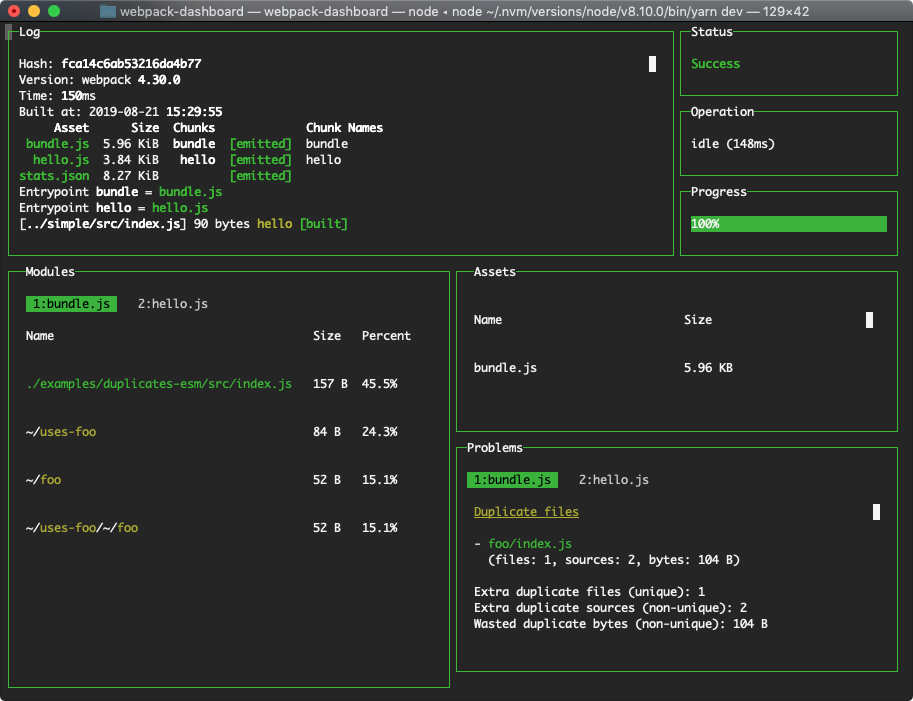
Webpack-dashboard is an interactive command line output that gives you the summary and important stuff you need to see about your build quickly.
Related Posts
- 2 min readOptimize your bundle size by eliminating dead code / tree-shaking in Webpack
- 5 min readReact's Best Parts in 5KB: Preact + HTM, No Build Tools Needed
- 4 min readI Became Obsessed With Dependency-Free, Vanilla Apps
- 5 min readStoring large web app state in URL using pako
- 3 min readUsing Heroku for a quick development environment
- 2 min readsnarkdown: The 1KB Markdown Renderer That Does Just Enough
Share